Choosing a GaN Fast Wall Charger in 2026 is no longer about selecting the smallest adapter. It is about matching real charging needs with dependable engineering. A compact 65W charger may power a laptop, phone, and earbuds, but shared ports can reduce available output. That detail matters beside a crowded airport outlet.
GaN technology allows high power density, lower heat, and smaller designs than many traditional silicon chargers. However, efficiency claims can hide practical weaknesses. A charger may feel cool while its second port delivers only modest power. Read the power table, not just the front label. Confirm USB-C Power Delivery support, PPS compatibility, port priorities, cable ratings, and protection features. Safety certifications and a trustworthy manufacturer matter more than glossy travel photos.
Navitas co-founder and CEO Gene Sheridan has described GaN technology as “the next generation of power.” That view explains its rapid adoption, but it should not end the evaluation. GaN does not automatically mean better charging. Poor thermal design, weak firmware, or an unreliable cable can still frustrate daily use.
Real experience exposes the difference. Test the charger with your actual laptop, phone, and cable combination. Check whether the adapter becomes uncomfortably hot after thirty minutes. Listen for coil noise in a quiet room. Small details count.
No charger is perfect.
This guide examines how to choose a GaN Fast Wall Charger for home offices, travel bags, bedside tables, and demanding multi-device setups. It also questions common marketing promises, because convenience should never replace safety, compatibility, or long-term reliability.
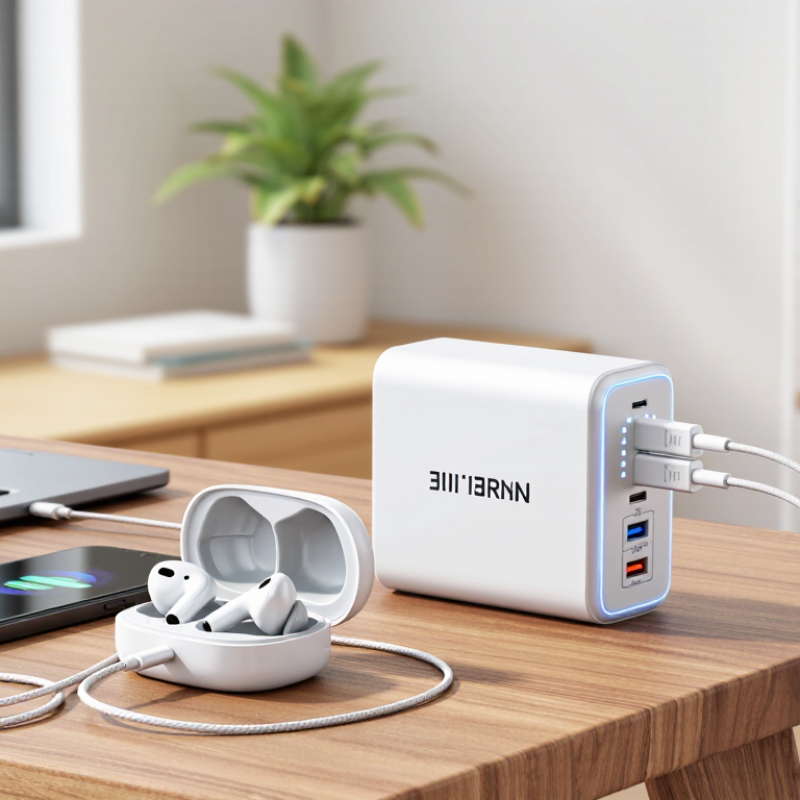
2026 How to Choose a GaN Fast Wall Charger
Gallium nitride, or GaN, is a semiconductor material used inside modern power chargers. Compared with older silicon components, GaN can switch electricity more efficiently at higher frequencies. This allows engineers to use smaller transformers and reduce energy wasted as heat. The result is often a compact charger with high power output. It may fit beside a laptop in a crowded travel bag.
A GaN charger does not simply force power into a device. It communicates with the device through charging standards, such as USB Power Delivery. The charger and device negotiate voltage and current before charging begins. A laptop may request more power, while wireless earbuds need much less. Internal circuits monitor temperature, current, and voltage during operation. Safety systems can reduce output when heat rises unexpectedly.
Higher wattage does not always mean faster charging. The cable, device, charging protocol, and battery condition also matter. I once assumed a 100-watt charger would charge every device quickly, but that assumption was incomplete. My tablet accepted only a smaller input. The charger performed normally. Check the output profile, not only the large number printed on the package. A reliable model should list tested protections and clear electrical specifications. Ports can also share power, which may lower the output available to each connected device. That detail is easy to miss.
| Data Dimension | What It Means | Typical Information or Range | Why It Matters | Selection Guidance |
|---|---|---|---|---|
| Core Technology | Gallium nitride (GaN) is a semiconductor material used in the charger's switching power components. | GaN can switch at higher frequencies than many traditional silicon power devices, allowing smaller magnetic components and heat-management parts. | The charger can be more compact while maintaining high power output. | Choose GaN for portability |
| Power Output | The maximum electrical power the charger can deliver, measured in watts (W). | Common wall-charger classes include approximately 20–30 W, 45–67 W, 90–100 W, and 140 W or higher. | Higher wattage can support larger devices, but the connected device only draws the power it is designed to accept. | Match the charger's output to the highest-power device you plan to charge. |
| USB-C Power Delivery | USB Power Delivery (USB PD) is a charging protocol that allows the charger and device to negotiate voltage and current. | USB PD commonly uses profiles such as 5 V, 9 V, 15 V, and 20 V. Newer implementations may support higher voltage levels under the USB PD Extended Power Range specification. | Negotiation helps deliver an appropriate power level instead of applying one fixed output. | For broad compatibility, select a charger that clearly lists USB PD support. |
| PPS Support | Programmable Power Supply (PPS) allows the output voltage to adjust in smaller steps during charging. | PPS is an optional feature within USB PD and is commonly specified by a voltage range and maximum current, such as 3.3–11 V or 3.3–21 V. | Compatible devices may charge more efficiently and produce less conversion loss during certain charging stages. | Choose PPS when your phone, tablet, or other device explicitly requires it. |
| Port Configuration | The number and type of output ports determine how many devices can be connected. | Typical layouts include one USB-C port, two USB-C ports, or USB-C combined with USB-A. USB-C is generally preferred for modern high-power charging. | Multiple ports improve convenience, but the total output is often shared when several devices are connected. | Check both the maximum single-port output and the multi-port power split. |
| Power Allocation | Power allocation describes how the charger distributes its total wattage among connected ports. | A charger rated at 100 W may provide its full output through one port but divide the available power when two or more ports are active. | Actual charging speed can change immediately after another device is plugged in. | Review the manufacturer's port-by-port output table before purchasing. |
| Device Compatibility | Compatibility depends on connector type, charging protocol, cable rating, and the device's own input limit. | Phones often require less than 30 W, tablets commonly use approximately 20–45 W, and many USB-C laptops require about 45–100 W or more. | A high-wattage charger does not force maximum power into a lower-power device. | Confirm the device's recommended charger rating and required protocol. |
| Cable Capability | The cable must be able to carry the negotiated current and power. | USB-C cables may be rated for 3 A or 5 A. Cables supporting more than 60 W under current USB-C power rules generally need electronic marking, depending on the power mode. | An unsuitable cable can limit charging speed or prevent high-power operation. | Use a certified, appropriately rated cable, especially above 60 W. |
| Efficiency and Heat | Efficiency is the proportion of input electrical power converted into useful output power; the remainder becomes heat. | Actual efficiency varies with load, voltage, temperature, and design. No wall charger is 100% efficient. | Higher efficiency generally means less heat, lower energy loss, and more consistent performance. | Look for published efficiency information and recognized safety or energy certifications. |
| Thermal Management | Thermal design controls heat generated by switching components, transformers, rectifiers, and circuit boards. | Common methods include high-frequency switching, heat-spreading structures, temperature sensors, and power reduction when internal temperature rises. | Good thermal management supports reliability and helps maintain output under sustained loads. | Prefer products with documented over-temperature protection and clear operating guidance. |
| Safety Protections | Protection circuits respond to abnormal electrical or thermal conditions. | Common protections include over-voltage, over-current, short-circuit, over-temperature, and input surge protection. | These features help reduce the risk of damage to the charger and connected equipment. | Choose a charger with relevant regional safety certification and complete protection specifications. |
| Input Voltage | Input voltage is the AC voltage accepted from the wall outlet. | Many travel-oriented chargers support a universal input range of approximately 100–240 V AC at 50/60 Hz, but this must be verified on the product label. | Universal input support can make a charger suitable for international travel when used with the correct plug adapter. | Check the input range and plug type for every destination. |
| Charging Speed | Charging speed depends on the device, battery state, temperature, cable, protocol, and charger output. | Devices typically reduce charging power as the battery approaches a high state of charge, so charging is not constant from empty to full. | Maximum wattage alone cannot predict the exact time required to reach a full charge. | Compare real device support rather than relying only on the charger's headline wattage. |
| Physical Size | GaN designs often use smaller high-frequency components than comparable conventional designs. | Size still depends on power rating, number of ports, cooling design, insulation, and regional plug construction. | A smaller charger is easier to carry, but compactness should not replace safety and thermal performance. | Balance dimensions and weight against the required power and number of ports. |
| Best Use Case | The ideal charger depends on how many devices are used and their power requirements. | 20–30 W is suitable for many phones; 45–67 W suits many tablets and smaller laptops; 90–140 W is more appropriate for higher-power USB-C laptops and multi-device setups. | Choosing the correct class avoids unnecessary cost, size, and unused capacity. | Buy for your highest realistic simultaneous load, with moderate headroom. |
Many phones use about 18W to 45W during fast charging. A 65W charger usually provides enough capacity. More wattage is not automatically better.
It can charge a phone, tablet, earbuds, and small accessories together. Check the shared output table carefully. One connected device may receive less power.
Check the laptop’s original adapter. A thin notebook may need 45W, while a performance laptop may require 100W or more. Guessing can disappoint.
A 100W charger might provide only 65W after another device connects. Independent output ratings reveal this limitation. The largest number can mislead.
Look for clear input and output ratings. Check temperature, over-current, and short-circuit protection. Recognized testing marks and traceable documents add confidence.
Mild warmth is normal during charging. Buzzing, odor, extreme heat, or repeated pauses deserve attention. Check firm ports, smooth casing, and reinforced cable exits.
Use a certified cable rated for the required voltage and current. A weak cable may restrict charging performance. I once ignored this detail.
Not necessarily. GaN designs can reduce size and heat, but tiny chargers may compromise handling or port space. A slightly larger unit may remain steadier.
Look for common power-delivery support and adjustable voltage features when needed. Confirm technical details for phones, tablets, and laptops. Package claims are not enough.
Consider durability, cable quality, port stability, heat control, and warranty clarity. Test charging over several days when possible. I still find online judgment imperfect.
A GaN Fast Wall Charger uses gallium nitride technology to deliver efficient, high-speed charging in a smaller and lighter design than many traditional chargers. To choose the right model, first match its total wattage and individual port output with your devices, including phones, tablets, laptops, and other accessories. Extra power is useful for future devices, but excessive capacity may not provide practical benefits for basic charging needs.
Consider the charging standards and port types required by your devices, such as USB-C or USB-A, and check whether the charger supports features like fast charging, power distribution, and automatic output adjustment. Safety should also be a priority, so evaluate protection against overheating, overcurrent, overvoltage, and short circuits. Finally, compare size, heat management, construction quality, portability, warranty coverage, and overall compatibility. The best choice balances charging speed, convenience, durability, and long-term value rather than focusing on wattage alone.